Why AI is the Ultimate Productivity Partner You Didn't Know You Needed
In today’s fast-moving world, productivity is no longer about doing more—it’s about doing the right things, faster and smarter. That’s where Artificial Intelligence (AI) comes in.
AI isn’t just for tech giants or coders. It’s now a powerful tool in the hands of students, entrepreneurs, professionals, and creators. From managing your calendar to writing emails, summarizing documents, organizing your tasks, and even making better decisions—AI can supercharge how you work, learn, and live.
In this blog, we take a deep dive into how you can use AI to boost your personal productivity, reduce stress, and make room for what really matters in life.
What Is AI Productivity, Really?
AI productivity means using smart tools and technologies that learn, adapt, and automate repetitive or complex tasks. These tools are designed to think, analyze, and respond intelligently to your inputs—saving you time, improving quality, and helping you focus on what matters most.
Instead of being reactive and overwhelmed, AI allows you to become more proactive and intentional in your daily work and decision-making.
Why You Should Care About AI Productivity
- It saves time: AI can do in seconds what would take you hours—like summarizing a 20-page PDF or writing a full blog post draft.
- It reduces decision fatigue: With the right prompts, AI can help you analyze options, map out workflows, and choose the most effective path forward.
- It keeps you organized: AI tools like Notion AI and Motion can plan your day, optimize your calendar, and keep your to-do list clean and focused.
- It enhances creativity: AI can help you brainstorm, draft, and polish your ideas, unlocking more of your creative potential.
- It’s always-on and always-ready: You don’t need to wait for help. With AI, support is instant, scalable, and consistent.
10 Ways to Use AI for Personal Productivity
1. Automate Your Daily Task List
Use AI planners like Notion AI, Motion, or ClickUp AI to organize your tasks based on urgency, deadlines, and time availability. These tools can prioritize for you, reschedule missed tasks, and even write status updates automatically.
2. Draft Emails in Seconds
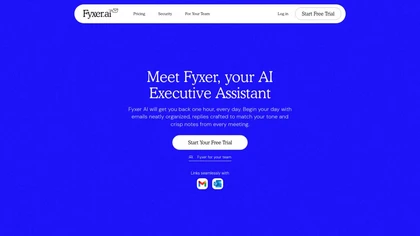
With Gmail’s Smart Compose or ChatGPT, you can write polite, clear, and professional emails in seconds. You simply give it the main points, and it generates a ready-to-send message.
3. Summarize Long Articles and Documents
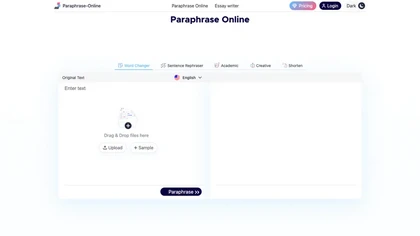
Stop wasting hours reading. Paste the content into a tool like ChatGPT or Claude AI and ask for a summary, highlights, or action points. Perfect for reports, meeting notes, or research papers.
4. Manage Your Calendar Automatically
Apps like Reclaim.ai or Clockwise use AI to manage your time blocks, reschedule meetings, and protect your deep work time automatically.
5. Generate Creative Ideas Instantly
Stuck on what to post or write? Use ChatGPT to brainstorm blog titles, video scripts, social media ideas, or business concepts. You can feed it your audience profile or topic, and it will generate ideas tailored to your goals.
6. Build Better Habits with AI Feedback
Tools like Habitica or Streaks use data and behavioral AI to help you stay consistent with new habits. Some even send adaptive reminders based on your progress patterns.
7. Record and Transcribe Meetings
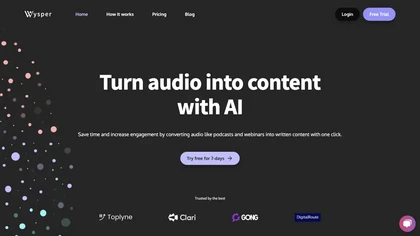
Use tools like Otter.ai or Scribbl to transcribe meetings and generate action items. AI can turn spoken discussions into searchable, shareable notes—saving hours on follow-ups.
8. Automate Research and Curation
Looking for the best resources on a topic? AI tools like Perplexity AI or Glasp can curate reading lists, explain complex topics, and summarize multiple sources in a few clicks.
9. Prioritize Smarter
Ask ChatGPT to sort your task list based on impact vs. urgency, or generate a daily “focus list” from a weekly plan. It can also break big projects into actionable steps with deadlines.
10. Reduce Mental Clutter
Use journaling AI tools like Reflect.ai or Heyday to process your thoughts, reflect on your day, and clear your mind. Some apps even track mood and productivity patterns to suggest better routines.
AI Prompt Examples to Boost Your Productivity
Prompt 1: Task Breakdown
“I need to complete a website redesign project. Break this into clear steps with estimated timelines for each.”
Prompt 2: Productivity Plan
“Act as my productivity coach. I work 9–5, have a side hustle, and want to spend 1 hour a day on fitness. Create a weekly routine that balances my priorities.”
Prompt 3: Email Draft
“Write a polite follow-up email to a client who hasn’t responded to my proposal in 5 days.”
Prompt 4: Meeting Summary
“Summarize the key action items and decisions from this transcript.” [Paste transcript]
Prompt 5: Daily Focus List
“I have these tasks: [list your tasks]. Which three should I focus on today based on productivity best practices?”
Common Myths About AI and Productivity
- “It’s only for techies.” – Most AI tools are now user-friendly with zero coding needed. If you can use Google Docs, you can use AI tools.
- “It replaces human thinking.” – AI doesn’t replace your thinking. It enhances it. You still make decisions—AI just gives you better data and faster insights.
- “It’s too expensive.” – Many of the best AI tools have free or low-cost tiers perfect for personal use.
Best Free AI Tools to Start With
- ChatGPT (Free version) – Writing, brainstorming, summarizing, organizing ideas
- Notion AI (Free + Paid) – Notes, task lists, summaries, daily planning
- Otter.ai (Free tier) – Transcriptions, meeting notes
- Perplexity.ai – Research and answer engine with citations
- Reclaim.ai – Calendar automation and time blocking
How to Start Your AI Productivity Journey
If you’re feeling overwhelmed with options, here’s how to begin:
- Step 1: Choose one part of your day that’s frustrating or slow (e.g., email, scheduling, research).
- Step 2: Find an AI tool or prompt to improve it.
- Step 3: Test it for 7 days. Track how much time or energy you save.
- Step 4: Add a new use case each week.
- Step 5: Reflect and refine. The goal is not to do more—it’s to do less, better.
Final Thoughts
We’re entering a world where productivity is no longer about grinding harder—it’s about thinking sharper, executing faster, and staying focused longer. AI is not just a tool. It’s a personal productivity partner that helps you be your best, every day.
If you want to free up time, reduce stress, and amplify your creative power, start using AI intentionally. With the right prompts, tools, and mindset, you’ll accomplish more in less time—and finally have the space to enjoy the life you’re building.
Start today: Ask ChatGPT: “What’s one way I can use AI to save 30 minutes a day based on my work routine?” The answers might surprise you—and change how you work forever.