

AnyToSpeech
AI-powered text-to-speech & image-to-text conversion service for texts, documents, websites, and images, with options to create content, read PDFs aloud, listen to YouTube videos, and save time by listening instead of reading
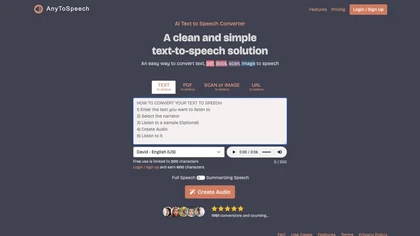
AI-Powered Text-to-Speech & Image-to-Text Conversion Platform for Content Creation
Overview
AnyToSpeech is an advanced AI-driven platform that converts a wide range of content into high-quality speech. Users can transform PDFs, web pages, and images into audio files, enabling on-the-go listening and content accessibility. With a variety of AI voices and styles, it offers a personalized audio experience for creating audiobooks, podcasts, voiceovers, and more. The service supports multiple formats, including plain text, DOCX, TXT, and PDFs, providing seamless conversion. Features include PDF to MP3 conversion, URL to speech for articles and blogs, image to speech for signs or documents, and a Chrome extension for one-click webpage conversion. The platform emphasizes natural-sounding voices using neural network technology, ensuring realistic intonation and emphasis. Flexible payment options include one-time purchases and subscriptions, with generous character and file size limits, making it suitable for individual creators, educators, publishers, and businesses seeking efficient content narration. Whether for personal use or commercial projects, AnyToSpeech simplifies content creation, saves time, and enhances accessibility for diverse audiences.
Key features & benefits
High-quality, natural-sounding AI voices with customizable styles and vibes
Supports multiple formats: PDF, DOCX, TXT, URLs, images
Convert PDFs and web pages into MP3 or audio files for easy listening
Image-to-speech feature for reading signs, documents, and images
One-click Chrome extension for quick web content conversion
Flexible payment options: free trial, one-time payments, subscriptions
Large file and character limits for extensive projects
User-friendly interface with easy-to-use controls
Option to select from a variety of voices and accents
Ideal for creating audiobooks, podcasts, voiceovers, and accessibility content
Use cases & applications
Creating audiobooks and podcasts effortlessly
Listening to research papers, articles, and documents on the go
Enhancing website accessibility with audio versions of content
Converting PDFs and images into audio for visually impaired users
Generating voiceovers for videos or presentations
Educational use for reading materials aloud
Content creators and marketers producing audio content quickly
Business professionals listening to reports and documents during commutes
Who it's for
Side hustle idea
A way you could turn this tool into income
Leverage AnyToSpeech to offer audio content creation services for clients, such as converting books, articles, and documents into professional audio formats. You can build a side hustle by providing audiobook production, accessibility solutions, or content narration for websites and marketing materials. With flexible payment plans and scalable features, you can cater to individual content creators, educators, and small businesses. This platform enables you to monetize your voice talents or technical skills by helping others transform their written content into engaging audio experiences, opening new revenue streams and expanding your service portfolio.
Reviews
0.0
from 0 reviews
No reviews yet — be the first to share your experience.