
AutoBrowser
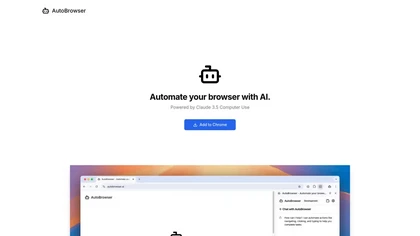
Autobrowser is a browser automation tool that enables AI to control online tasks autonomously, allowing users to automate repetitive actions and enhance workflow efficiency, while requiring oversight due to potential inaccuracies in AI decision-making
Autobrowser: AI-Powered Browser Automation for Streamlined Web Tasks
Overview
Autobrowser, utilizing the Browser MCP, allows AI applications to seamlessly automate web-based tasks such as testing, data collection, form filling, and workflow automation. By connecting AI tools like Cursor or Claude to your browser through a simple extension and server setup, users can execute repetitive actions swiftly and securely. Automation occurs locally on your device, ensuring privacy and high performance without reliance on network speed. Features include navigating pages, clicking elements, typing, taking screenshots, and more, all controlled via AI. It bypasses basic bot detection and CAPTCHAs by using your real browser fingerprint, maintaining a natural browsing footprint. Ideal for developers, QA teams, and productivity enthusiasts, Autobrowser simplifies complex web automation, reduces manual errors, and accelerates testing and data tasks. Its user-friendly setup involves installing the extension, configuring the server, and creating workflows, making automation accessible even for non-technical users. Overall, Autobrowser combines speed, security, and convenience to elevate your online automation capabilities.
Key features & benefits
Local automation for faster performance without network latency
Ensures user privacy by keeping activity on your device
Uses existing browser profiles for seamless login access
Stealth mode to bypass basic bot detection and CAPTCHAs
Supports diverse web automation tasks (navigation, clicking, typing, screenshots)
Easy setup with a simple three-step process
Compatible with popular AI apps like Cursor and Claude
Use cases & applications
Automated website testing and validation
Repetitive form filling and data collection
Workflow automation for routine web tasks
UI element verification across scenarios
Speeding up development and QA processes
Who it's for
Side hustle idea
A way you could turn this tool into income
Leverage Autobrowser to offer specialized automation services to businesses, such as automated testing, data scraping, and workflow optimization. By mastering setup and workflow creation, you can create a recurring revenue stream providing tailored automation solutions, saving clients time and reducing manual effort. Additionally, developing custom automation scripts or consulting on automation strategies can position you as a valuable expert in the growing field of AI-driven web automation, opening avenues for freelance projects, agency services, or training sessions.
Reviews
0.0
from 0 reviews
No reviews yet — be the first to share your experience.