
Butterfish Shell
ButterAI s butterfish integrates GPT models into the command line, enhancing user experience through contextual guidance, command suggestions, autocomplete functionality, chat interactions, and Goal Mode for efficient goal-oriented command execution
Butterfish: AI-Enhanced Command Line Shell with GPT Integration and Goal Mode
Overview
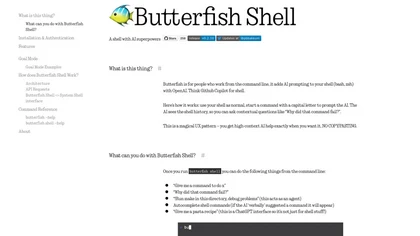
Butterfish is an open-source CLI tool that enhances shell interaction by integrating GPT models, primarily GPT-4 Turbo, into your command line environment. It wraps your existing shell (bash, zsh) to provide AI prompting directly from the terminal, enabling features like contextual command suggestions, autocomplete, and chat-like interactions without copying and pasting. Users can start prompts with a capital letter to ask questions, debug commands, or generate new commands based on shell history and context. A standout feature is Goal Mode, which allows GPT to act as an agent executing commands autonomously to reach user-defined goals, such as debugging or file management tasks. The tool transparently displays prompts sent to the AI, supports customization of prompts, and allows switching models or pointing to local servers. It also offers a Neovim plugin for seamless prompting within code editing. Installation is straightforward on MacOS and Linux, with configuration options for API keys, models, and other parameters. Butterfish aims to streamline workflows, improve productivity, and make shell tasks more intelligent and conversational, all while maintaining transparency and user control.
Key features & benefits
Seamless GPT model integration into command line (bash, zsh).
Context-aware command suggestions and autocomplete with autosuggest feature.
Chat interactions for debugging, explanations, and creative prompts.
Goal Mode enabling GPT to execute commands autonomously to accomplish tasks.
Transparent prompts with configurable instruction wrappers.
Supports multiple GPT models and local API endpoints.
Open source with easy installation on MacOS and Linux.
Customizable prompts and shell prompt modifications for user feedback.
Neovim plugin for in-editor prompting and code rewriting.
Logging and verbose modes for debugging and transparency.
Use cases & applications
Enhancing shell productivity with AI-driven command generation and suggestions.
Debugging complex commands or scripts interactively via chat prompts.
Automating repetitive tasks using Goal Mode with GPT acting as an agent.
Learning and exploring new shell commands through conversational prompts.
Managing and searching code or document files with embedded indexing.
Integrating AI prompts within Neovim for code rewriting or summarization.
Customizing shell workflows with transparent, editable prompts and models.
Who it's for
Side hustle idea
A way you could turn this tool into income
Butterfish offers a unique opportunity for developers and entrepreneurs to build custom AI-powered CLI tools or integrations tailored to niche workflows. By offering specialized plugins, command utilities, or enterprise versions, one can monetize enhanced shell automation, AI debugging tools, or productivity suites. The open-source nature encourages community contributions and monetization through support, customization, or SaaS hosting of AI models. Additionally, creating training, tutorials, or consulting services around AI shell automation can generate income, leveraging Butterfish’s flexible architecture and transparent prompt system to deliver tailored solutions for technical teams and businesses.
Reviews
0.0
from 0 reviews
No reviews yet — be the first to share your experience.