

Codiga
Codiga is a static code analysis tool that offers custom analysis rules, secure code analysis, real-time instant code analysis and fixes, security standards coverage, and team sharing to improve code quality
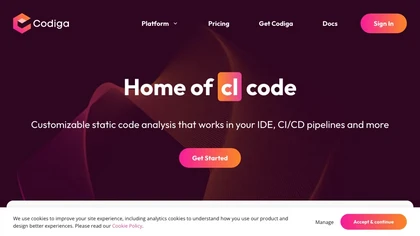
Real-Time Static Code Analysis Platform for Secure, Customizable Code Improvement
Overview
Codiga is a powerful static code analysis tool that integrates seamlessly into your development workflow, providing instant feedback and automated fixes. It allows users to create custom analysis rules in less than five minutes, share them within teams, and deploy secure, high-quality code. Supported across popular IDEs like VS Code, JetBrains, VisualStudio, and platforms such as GitHub, GitLab, and Bitbucket, Codiga ensures continuous code quality from writing to deployment. Its security-focused features include comprehensive coverage of OWASP Top 10, MITRE CWE, and SANS/CWE Top 25, enabling developers to identify and fix vulnerabilities automatically. The platform also supports infrastructure code analysis for Terraform and Docker, ensuring infrastructure security. Automated code reviews and multi-language support streamline the development process, providing rapid feedback and reducing manual review time. The dashboard offers a bird’s-eye view of code violations, duplicate code, and complex functions, helping teams maintain high standards. Overall, Codiga empowers developers to write safer, cleaner, and more efficient code, fostering a culture of quality and security in software development.
Key features & benefits
Real-time static code analysis with instant fixes in IDEs
Customizable analysis rules created in less than 5 minutes
Supports multiple IDEs and platforms including GitHub, GitLab, Bitbucket
Automated security vulnerability detection and fixes
Comprehensive security standards coverage (OWASP, CWE, SANS)
Infrastructure code analysis for Terraform and Docker
Automated code reviews supporting 12+ languages and 1800+ rules
Team sharing of rules and rulesets for consistent quality
Dashboard providing overall code quality metrics
Supports multi-branch workflows and pull request analysis
Use cases & applications
Integrate static analysis into IDEs for instant code feedback
Automate security vulnerability detection and remediation
Create and share custom analysis rules within teams
Conduct automated code reviews before merging code
Ensure infrastructure code security for Terraform and Docker
Maintain high code quality standards across multi-language projects
Track code violations and maintain historical error data
Support DevSecOps practices with continuous security checks
Who it's for
Side hustle idea
A way you could turn this tool into income
Leverage Codiga’s customizable static code analysis platform to offer specialized coding safety and quality services to development teams. By creating custom rules, consulting on secure development practices, or providing training on security standards, you can establish a niche in the fast-growing field of Secure DevOps. Additionally, developing and sharing unique code snippets and analysis rules can open revenue streams through subscriptions or consulting. As organizations prioritize security and code quality, offering tailored solutions with Codiga can position you as an expert in software security and quality assurance, creating opportunities for freelancing, consulting, or building SaaS-based compliance services.
Reviews
0.0
from 0 reviews
No reviews yet — be the first to share your experience.