

Dynobase
Dynobase is a GUI client for DynamoDB, streamlining data exploration, query creation, and code generation
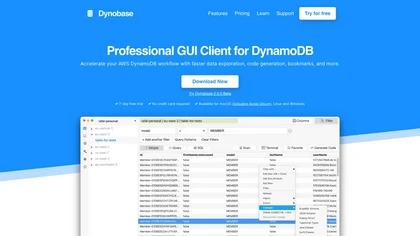
Dynobase: Professional GUI Client for DynamoDB with AI-Powered Code Generation
Overview
Dynobase is a professional, cross-platform GUI client designed for Amazon DynamoDB, streamlining data management and development workflows. Its user-friendly interface allows users to explore data, create and optimize queries, and modify items effortlessly. Unique features include AI-powered code snippet generation from natural language inputs, enabling developers to quickly generate code in languages like JavaScript, TypeScript, Python, Rust, and Golang. The tool supports importing and exporting data in CSV and JSON formats, simplifying migration and data manipulation tasks. It integrates seamlessly with AWS profiles, including MFA, SSO, and external credential providers, ensuring secure access across multiple regions and accounts. Additional functionalities like bookmarks, history of actions, operation builder, and advanced filtering enhance productivity. Dynobase also supports SQL-like PartiQL queries, local DynamoDB instances, and provides features such as inline editing, dry runs, and multi-factor authentication for added security. Trusted by AWS experts and developers worldwide, Dynobase is a powerful assistant for managing DynamoDB efficiently and effectively.
Key features & benefits
AI-generated DynamoDB code snippets from natural language inputs for multiple programming languages
Intuitive GUI for data exploration, query creation, and modification
Supports importing/exporting CSV and JSON data with type conversion
Seamless integration with AWS profiles, MFA, SSO, and external credential providers
Multi-region and multi-account management with profile switching
Advanced query and filter options, including PartiQL support
Operation builder for generating production-ready code for updates and deletes
Bookmarks and history features for quick access to frequent queries
Terminal with JavaScript support for complex data manipulation
Offline support with DynamoDB Local and Localstack compatibility
Secure interactions using AWS APIs only, no third-party connections
Dark mode, keyboard shortcuts, multiple tabs for multitasking
Table creation, deletion, and data migration made easy
Use cases & applications
Simplifying DynamoDB data exploration and management
Accelerating development with AI-generated code snippets
Data migration and import/export tasks
Multi-region, multi-account DynamoDB operations
Building and testing queries with visual feedback
Managing complex data models with single-table design
Automating routine database tasks
Securely working with local DynamoDB instances for development
Optimizing read/write operations using query optimizer
Creating quick prototypes and debugging DynamoDB access patterns
Who it's for
Side hustle idea
A way you could turn this tool into income
Leveraging Dynobase's automation and code generation features can significantly reduce development time for DynamoDB projects. Developers and consultants can offer specialized DynamoDB setup, migration, and optimization services, using Dynobase to streamline workflows. Additionally, creating educational content, tutorials, or custom plugins around Dynobase can generate income, catering to teams migrating to AWS or optimizing existing DynamoDB solutions. Resellers or partners can bundle Dynobase with AWS consulting packages, providing clients with a powerful tool to enhance their cloud database management and accelerate project delivery.
Reviews
0.0
from 0 reviews
No reviews yet — be the first to share your experience.