
Formula Generator
This tool provides formulas, VBA, Regex, SQL and step-by-step answers for various spreadsheet questions
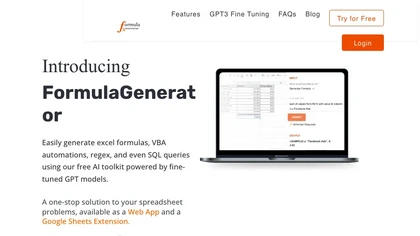
AI-Powered Excel and Google Sheets Formula Generator and Automation Tool
Overview
The formula generator app harnesses AI technology to streamline the process of building and managing complex spreadsheets in Excel and Google Sheets. It offers instant formula creation, debugging, explanation, and automation script generation, making data analysis and table building faster and more accurate. Users can input natural language prompts describing their desired formulas or data manipulations, and the AI responds with precise, ready-to-use formulas or scripts, including VBA, SQL, and Apps Script. The system supports learning through prompt engineering, allowing users to develop custom templates, checklists, and workflows that enhance productivity over time. It also enables integration with automation tools like Zapier or Make for real-time updates and scheduled processes. Additionally, the tool can review existing spreadsheets for errors, optimize formulas, and suggest improvements, reducing human error and saving hours of manual work. By connecting via OpenAI API, users can embed the AI into their existing workflows, making data management more intuitive and efficient. The platform is ideal for professionals who handle large datasets, automate repetitive tasks, or need quick, reliable spreadsheet solutions without deep coding expertise.
Key features & benefits
Instant generation of Excel and Google Sheets formulas, VBA, Regex, and SQL scripts
Error detection, debugging, and optimization of existing spreadsheets
Custom prompt engineering for tailored data analysis and table creation
Ability to build templates, checklists, and standardized workflows
Integration with automation platforms like Zapier and Make for real-time updates
Support for scripting in VBA, Apps Script, and SQL to automate tasks and generate reports
Learning and adapting to user needs for continuous improvement
Simplifies complex data tasks, saving time and reducing errors
Use cases & applications
Automating monthly financial reports and data summaries
Building dynamic and customizable spreadsheets for data analysis
Debugging and optimizing existing Excel/Sheets workbooks
Creating automated workflows with VBA, Apps Script, or SQL
Generating pivot tables, charts, and dashboards in minutes
Integrating spreadsheets with databases and external systems
Educational purposes: teaching prompt engineering and formula logic
Who it's for
Side hustle idea
A way you could turn this tool into income
Leverage this AI-powered spreadsheet tool to offer custom data analysis, report automation, and formula services to small businesses and professionals. By creating tailored templates and workflows, you can start a consulting service or develop niche automation solutions. Additionally, training others on prompt engineering and spreadsheet optimization can generate income. Integrating the platform with automation tools enables scalable services like scheduled reports or real-time data monitoring, opening avenues for subscription-based offerings or freelance gigs. With minimal setup, you can transform routine spreadsheet tasks into value-added services, establishing a profitable side hustle in data automation and AI consulting.
Reviews
0.0
from 0 reviews
No reviews yet — be the first to share your experience.