
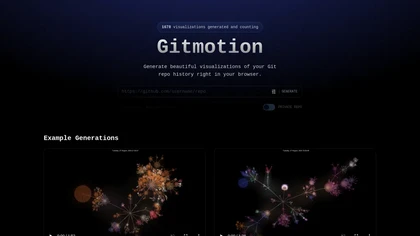
Gitmotion
Gitmotion enables users to create secure visual representations of Git repository histories in their browsers, supporting private repositories and allowing for exportable video visualizations to analyze and present project development insights effectively
Create Secure, Visual Git Repository Histories with Exportable Video Visualizations
Overview
Gitmotion is a powerful tool that allows developers and team members to create detailed visualizations of their Git repository histories directly within their browsers. It supports private repositories on GitHub, ensuring that sensitive project data remains secure by encrypting tokens and deleting repository contents after visualization. Users can generate engaging visual representations of commit histories, which can be exported as videos using FFmpeg and Gource. These visualizations help in analyzing project development trends, presenting progress to stakeholders, and gaining insights into codebase evolution. With support for large repositories, customizable filters, and a user-friendly interface, Gitmotion simplifies the process of understanding complex commit histories. Its capabilities make it an invaluable resource for project managers, developers, and teams aiming to communicate development workflows visually and securely.
Key features & benefits
Supports secure visualization of private GitHub repositories with encrypted tokens
Generates interactive, browser-based visualizations of repository histories
Exports visualizations as videos for presentations and analysis
Supports large repositories with thousands of commits
Uses FFmpeg and Gource for high-quality video rendering
Deletes repository data post-generation to ensure privacy and security
Easy-to-use filters for customizing visual outputs
Use cases & applications
Visualizing project development timelines for team members and stakeholders
Analyzing codebase evolution and commit activity patterns
Creating engaging presentations of repository histories
Monitoring project progress over time
Educational purposes to demonstrate version control workflows
Who it's for
Side hustle idea
A way you could turn this tool into income
Leverage Gitmotion to offer visual repository analysis and presentation services to development teams and organizations. By providing custom visualizations, training, and ongoing support, you can create a niche business helping clients better understand and showcase their project histories, enhancing communication and transparency in software development workflows.
Reviews
0.0
from 0 reviews
No reviews yet — be the first to share your experience.