
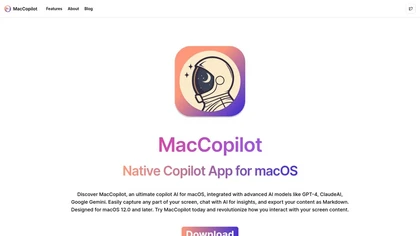
MacCopilot
Maccopilot is a macOS AI application that enables users to capture screen content and interact with advanced AI models like GPT-4 and ClaudeAI for insights and creative brainstorming, with support for flexible screenshot options and markdown export
MacCopilot: Native AI Assistant for macOS with Screen Capture and AI Model Integration
Overview
MacCopilot is a dedicated copilot AI app for macOS that enhances productivity by allowing users to select any area of their screen and engage with powerful AI models such as GPT-4, ClaudeAI, Google Gemini, and Ollama. The app provides instant AI insights, explanations, and creative brainstorming directly related to on-screen content, eliminating the need to switch between multiple applications. Its flexible screenshot tools enable users to resize, select, and quickly re-capture regions of their screen for analysis. Integration with various AI models, including built-in options and external APIs, offers versatile assistance tailored to different needs—be it coding, design, legal research, or language learning. MacCopilot supports multi-platform AI connections, fast response times, and markdown export for sharing insights seamlessly. The app is suitable for students, professionals, developers, and legal researchers who seek real-time, context-aware AI assistance directly within their macOS environment. With flexible subscription plans and lifetime options, MacCopilot aims to streamline workflows and inspire creative and analytical tasks with AI-powered insights.
Key features & benefits
Select any screen area and interact with AI models for instant insights
Supports multiple advanced AI models including GPT-4, ClaudeAI, Google Gemini
Flexible screenshot tools for resizing, quick recaptures, and region selection
Seamless integration with open APIs and local AI models like Ollama
Real-time explanations, creative brainstorming, and legal or language assistance
Markdown export for easy sharing and documentation
Multiple subscription tiers and lifetime access options
Fast response times with AI model optimization
Supports multi-platform AI model connections for versatile use
Use cases & applications
On-screen code and design analysis for developers and designers
Instant legal clause explanations for legal researchers
Language learning with real-time translation and vocabulary help
Homework help with detailed problem explanations for students
Legal research and contract review with AI insights
Creative brainstorming and idea generation
Screen content analysis for marketing and content creators
Who it's for
Side hustle idea
A way you could turn this tool into income
MacCopilot offers entrepreneurs and developers a unique opportunity to build custom AI solutions or integrations tailored for macOS users. By leveraging its API support and flexible AI model options, businesses can create niche productivity tools, specialized legal or language applications, or develop training modules for AI-driven workflows. Resellers can offer tailored subscriptions or premium features, while developers can create complementary apps or plugins. Additionally, providing consulting services to optimize AI workflows for specific industries can generate revenue. As AI adoption grows on macOS, offering customized AI assistant solutions with MacCopilot can unlock significant side-hustle potential in the expanding AI productivity market.
Reviews
0.0
from 0 reviews
No reviews yet — be the first to share your experience.