

PDFgear
PDFgear is an AI-powered PDF tool that enables users to edit, annotate, merge, compress, and convert PDFs
AI-Powered PDF Tool for Editing, Annotating, Converting, and Managing PDFs Easily
Overview
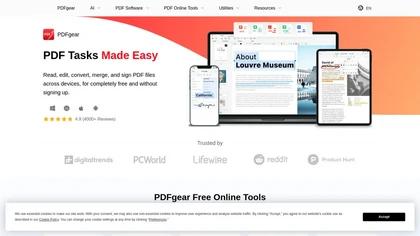
PDFgear is a comprehensive, AI-driven PDF management platform designed to simplify the way users handle PDF documents. The software allows users to edit PDFs as easily as editing a Word document, including text, images, shapes, signatures, and form fields. Its annotation tools enable highlighting, underlining, notes, stamps, and shape insertions. PDFgear supports seamless conversion between PDF and various formats like Word, TXT, JPG, Excel, and PowerPoint, with batch processing and lossless quality. Its OCR feature accurately extracts text from scanned images and PDFs in over 30 languages, transforming scanned documents into editable files. Available across desktop and mobile platforms, including Windows, Mac, iOS, and Android, PDFgear ensures users can work on their documents anytime, anywhere. Trusted by thousands, it integrates AI to enhance efficiency, reduce manual effort, and improve accuracy. Users appreciate its user-friendly interface, powerful features, and free access, making it a top choice for individuals and businesses seeking reliable PDF solutions without cost or complicated sign-up processes.
Key features & benefits
Editable PDF content similar to Word documents
Powerful annotation and markup tools
Conversion between PDF and multiple formats with batch processing
AI-powered OCR for text extraction from images and scanned PDFs
Cross-platform support across Windows, Mac, iOS, and Android
No sign-up required, free to use
Seamless integration with cloud storage and online tools
Electronic signatures for document signing
Secure and privacy-focused document handling
Use cases & applications
Editing and updating business or personal PDFs
Annotating documents for reviews and feedback
Converting PDFs to editable formats for editing or analysis
Extracting text from scanned documents using OCR
Merging, splitting, and compressing PDF files
Adding electronic signatures for contracts and agreements
Managing documents across multiple devices and platforms
Educational use for note-taking and document organization
Who it's for
Side hustle idea
A way you could turn this tool into income
Leverage PDFgear's versatile features to offer document editing, conversion, and signing services to small businesses, legal firms, or educational institutions. Develop a niche by providing quick, reliable PDF solutions, or create online tutorials, courses, and consulting around efficient PDF management. As PDFgear is free and easy to use, you can build a service-based business with minimal upfront investment, capitalizing on the growing need for digital document handling in remote and hybrid work environments.
Reviews
0.0
from 0 reviews
No reviews yet — be the first to share your experience.