
Picture To Text
Image Text Converter utilizes advanced OCR technology to extract editable text from images in various formats, supporting 20 languages
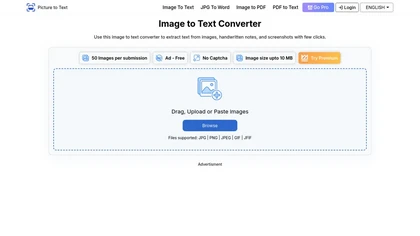
Advanced OCR Image to Text Converter Supporting Multiple Languages and Formats
Overview
Image Text Converter is an AI-driven OCR tool designed to seamlessly extract editable and searchable text from images, scanned documents, handwritten notes, and screenshots. Supporting over 20 languages and multiple formats such as JPG, PNG, PDF, TIFF, GIF, and BMP, it offers high accuracy even with low-resolution or blurry images. The platform features a user-friendly interface that allows quick batch processing—up to 50 images for premium users—saving time and boosting productivity. Data privacy is a priority, ensuring that uploaded files are never stored or shared. The tool enables easy copying or downloading of extracted text, making it ideal for digitizing office documents, legal papers, research materials, educational notes, and travel signage. Its advanced OCR and ICR technologies make it suitable for diverse users, including students, professionals, researchers, writers, graphic designers, and travelers. With fast processing speeds and support for multiple file formats, it simplifies data entry, document digitization, translation, and content organization, transforming physical and scanned data into editable formats effortlessly.
Key features & benefits
Supports over 20 languages including English, Spanish, French, Russian, Chinese, and more
Compatible with multiple image and document formats such as JPG, PNG, PDF, TIFF, GIF, BMP, and HEIC
Batch processing of up to 50 images for premium users, saving time
High accuracy OCR and ICR technology for printed and handwritten text
User-friendly interface requiring no technical expertise
Fast conversion speed, delivering results within seconds
Ensures data privacy with automatic deletion of uploaded files
Ability to copy or download extracted text easily
Supports PDF image text extraction
Free to use with options for premium features and higher limits
Use cases & applications
Digitizing office documents like reports, invoices, and contracts
Extracting text from screenshots and signboards for quick reference or translation
Automating data entry tasks for businesses and legal firms
Converting handwritten notes and old books into editable formats
Supporting research by digitizing scanned papers and literature
Assisting travelers in translating foreign signage and menus
Graphic designers extracting text from images for design projects
Educational purposes for students and educators managing notes and assignments
Who it's for
Side hustle idea
A way you could turn this tool into income
Leverage the powerful OCR technology to offer document digitization and data extraction services for small businesses, legal firms, and educational institutions. With high accuracy, multilingual support, and batch processing, you can create a profitable side hustle by helping clients convert physical documents into editable digital formats, streamline workflows, and improve data management. Additionally, you can develop niche services such as translation support for travelers or specialized research assistance, expanding your business opportunities in the growing market of digital transformation and content management.
Reviews
0.0
from 0 reviews
No reviews yet — be the first to share your experience.