
ScannerGo
Scanner Go is a free and easy-to-use PDF tool that allows users to scan, convert, manage, edit, print, share and optimize documents with OCR technology, and offers safe cloud storage
Scanner Go: Free, Easy-to-Use PDF Scanner and Document Management Tool
Overview
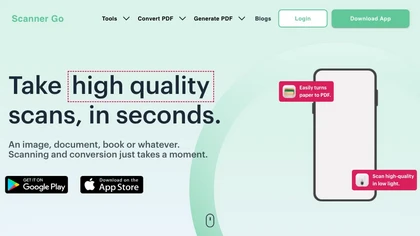
Scanner Go is a versatile and user-friendly PDF tool designed to simplify digital document management. It allows users to instantly scan images, books, or documents using their phone, and convert them into high-quality PDFs with just a tap. The app features powerful OCR technology, enabling extraction of text from images and PDFs, making documents editable and searchable. Users can easily edit, print, share, and manage their files within the app, boosting productivity. Additionally, Scanner Go offers a suite of tools such as PDF to Word, PDF to Excel, merging, compressing, and converting files—all optimized for ease of use and high-quality results. Secure cloud storage ensures that documents are safely saved and accessible from any device, anywhere. Whether for personal or professional use, Scanner Go streamlines the process of digitizing and managing documents, making it an essential tool for modern digital workflows. Its intuitive interface and comprehensive features make high-quality scanning and document conversion accessible to everyone, regardless of technical skill.
Key features & benefits
One-tap high-quality scanning of documents, images, and books
Powerful OCR for extracting editable text from PDFs and images
Secure cloud storage for easy access across devices
Multiple conversion tools: PDF to Word, Excel, PowerPoint, images, and ZIP files
Options to merge, compress, and edit PDFs for enhanced productivity
User-friendly interface for quick and hassle-free document management
Use cases & applications
Digitizing physical documents for personal or professional use
Converting scanned images into editable formats for editing and sharing
Organizing and merging multiple PDFs into a single document
Extracting data from PDFs for spreadsheets and data analysis
Securely storing important documents in the cloud for easy access
Creating high-quality digital copies of books, receipts, and reports
Who it's for
Side hustle idea
A way you could turn this tool into income
Leverage Scanner Go to offer document digitization and management services for local businesses, students, or professionals. You can provide quick scanning, conversion, and editing services, helping clients go digital effortlessly. Building a small business around this app can generate steady income, especially in areas with high demand for paperless solutions. Additionally, you can create tutorials or offer training sessions on efficient document management, positioning yourself as a local digital productivity expert.
Reviews
0.0
from 0 reviews
No reviews yet — be the first to share your experience.