
ScreenML
Screenml is a macOS app that enhances screenshot management by using AI to generate context-aware file names, improving organization and retrieval
ScreenML: AI-Powered Context-Aware Screenshot Management for macOS
Overview
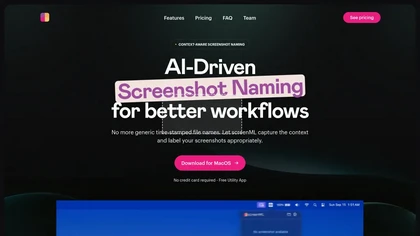
ScreenML is a macOS application designed to revolutionize screenshot management by utilizing advanced AI models like ChatGPT, Google Gemini, and Claude to generate descriptive, context-aware filenames automatically. Instead of generic time-stamped names, ScreenML analyzes the content and context of each screenshot to create meaningful labels, making it easier to organize and search. The app features an intuitive hotkey for quick captures, annotation tools that integrate with Preview, and options to customize filename formats. The free version allows up to 50 screenshots per month, with a pro plan coming soon offering higher limits and additional functionalities such as batch renaming, custom naming rules, MLA citation mode, background removal, and scrolling screenshots. ScreenML processes minimal data—only what is necessary for filename generation—ensuring user privacy, and does not use your data for training AI models. Despite current reliance on cloud-based models, future updates may include local AI model support, providing offline capabilities. By automatically creating descriptive filenames based on image content, ScreenML significantly improves image searchability and workflow efficiency for professionals, students, and casual users alike.
Key features & benefits
AI-generated, context-aware filenames for easy organization
Quick screenshot capture with hotkey (Option + 3)
Annotation tools with seamless Preview integration
Menubar view for quick filename and image preview
Customizable filename formats and future advanced options
Minimal data collection ensuring user privacy
Free plan with 50 screenshots/month, affordable pro upgrades
Use cases & applications
Organizing and labeling screenshots for research or tutorials
Enhancing digital workflows for designers and developers
Streamlining documentation and project management
Creating descriptive image archives for presentations
Personal productivity and quick image retrieval
Who it's for
Side hustle idea
A way you could turn this tool into income
Developing or integrating AI-driven screenshot tools like ScreenML offers opportunities for developers and entrepreneurs to create productivity solutions for macOS users. By offering customized AI naming services, annotation tools, or subscription plans, businesses can tap into the growing market of remote workers, students, and professionals who demand efficient digital workflows. Creating plugins, add-ons, or enterprise solutions around this core technology can open avenues for recurring revenue and strategic partnerships, especially as AI integration in daily tasks continues to expand.
Reviews
0.0
from 0 reviews
No reviews yet — be the first to share your experience.