
Sigmaos airis
SigmaOS is an AI-powered, ad-free browser tool that revolutionizes internet navigation through organized workspaces, vertical tabs as to-do lists, split-screen multitasking, and lazy search functionality
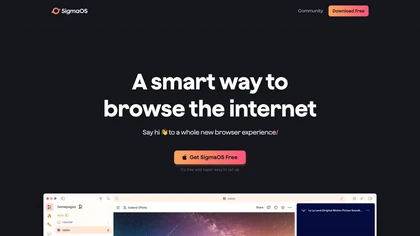
AI-Powered, Ad-Free Browser with Organized Workspaces and Split-Screen Multitasking
Overview
SigmaOS redefines browsing with its AI-powered, ad-free environment designed for productivity and streamlined web experience. Its unique workspace system allows users to organize tabs into distinct rooms, akin to rooms in a house, making multitasking and managing multiple projects seamless. Vertical tabs function like a to-do list, giving users a clear overview of open pages and tasks, with options to mark them as done or lock them for future reference. The split-screen feature enables easy multitasking across two websites simultaneously, boosting efficiency. Advanced search capabilities, like Lazy Search, allow instant searching through tabs, bookmarks, and the web by simply hitting the spacebar. The integrated Airis assistant provides contextual answers, chat support, and internet research assistance, making information retrieval effortless. Additional features include ad blocker, Focus Mode for distraction-free browsing, Magic Theme for aesthetic customization, and seamless migration from other browsers. Built on WebKit and optimized with SwiftUI, SigmaOS offers high performance, security, and battery efficiency on macOS. Its compatibility with Chrome extensions further enhances user customization, creating a powerful, personalized browsing experience tailored for students, professionals, creators, and organizations.
Key features & benefits
Organized workspaces for efficient tab management
Vertical tabs resembling to-do lists for quick overview
Split-screen multitasking for working on multiple sites simultaneously
Lazy Search for instant web, tab, and bookmark searching
AI-powered Airis assistant for contextual answers and web research
Ad-free browsing with built-in ad blocker
Focus Mode to minimize distractions
Magic Theme for aesthetic consistency and improved visuals
Seamless migration with session, login, and history transfer
Support for Chromium extensions for enhanced functionality
Optimized for macOS with WebKit and SwiftUI for performance and security
Auto-synchronization across devices with cloud login
Use cases & applications
Managing multiple research projects efficiently
Organizing work or study sessions with dedicated workspaces
Multitasking with split-screen for productivity tasks
Utilizing AI assistance for quick information retrieval
Creating a distraction-free browsing environment
Developing workflows with Chrome extensions
Students managing coursework and assignments
Professionals handling multiple client or project accounts
Content creators streamlining research and editing
Teams collaborating with shared workspaces
Who it's for
Side hustle idea
A way you could turn this tool into income
Leverage SigmaOS's customizable workspace and extension support to develop niche productivity tools or themed workspace templates for specific industries. Offer consulting or training services to organizations adopting SigmaOS for team workflows. Create content, tutorials, or courses on maximizing SigmaOS features for productivity, capturing a growing market of remote workers and students seeking optimized browsing solutions. With its open extension ecosystem, there's potential to develop add-ons that enhance or personalize user experiences, opening avenues for monetization and community engagement.
Reviews
0.0
from 0 reviews
No reviews yet — be the first to share your experience.