
Textomap
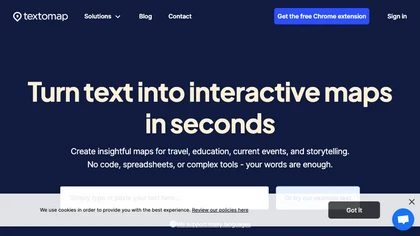
Textomap is an AI-assisted tool that quickly converts text into interactive maps, serving various industries worldwide, offering a free plan and a pro upgrade with additional features, and integrating with other platforms
Textomap: AI-Powered Tool to Convert Text into Interactive Maps Instantly
Overview
Textomap is a versatile AI-powered tool designed to effortlessly convert textual content into engaging, interactive maps. It serves a wide range of industries including education, travel, media, and content creation by enabling users to visualize location-based data directly from text, images, audio, or CSV files. Users can generate maps from natural language prompts, blog posts, itineraries, or academic materials, and customize pins with descriptions, images, and links. The platform offers a free plan with basic features and a pro upgrade that unlocks unlimited maps, advanced customization, and ad-free experience. Textomap also integrates with platforms like WordPress and offers browser extensions for quick map creation on the go. Its AI assistant facilitates content visualization, making map creation faster and more intuitive without spreadsheets or complex tools. With multi-language support and easy embedding options, Textomap empowers educators, content creators, travel agents, and media professionals to enhance their content with interactive geographical visualizations, fostering engagement and better understanding of spatial information.
Key features & benefits
AI-assisted conversion of text into interactive maps within seconds
Supports multiple input types: text, images, audio, CSV files
Customizable map pins with descriptions, labels, images, and links
Seamless platform integrations including WordPress and Chrome extension
Supports multiple languages for global usability
Free plan available with optional paid upgrades for advanced features
Ability to embed maps directly into websites and share via links
AI assistant helps visualize content from blogs, itineraries, and academic material
Export maps as CSV, Google Maps, or embed on websites
Designed for educators, travel professionals, content creators, and media outlets
Use cases & applications
Creating interactive maps from blog posts, articles, or eBooks
Visualizing travel itineraries and geographic data for tourism agencies
Enhancing educational content with geographic visualizations
Mapping historical events, news stories, or scientific data
Embedding maps into websites and social media for increased engagement
Generating location-based prompts for language learning or geography classes
Visual storytelling by linking images and web content to map locations
Creating dynamic maps for journalism, media, and research projects
Who it's for
Side hustle idea
A way you could turn this tool into income
Leverage Textomap to offer custom map creation services for local businesses, educators, and content creators. You can monetize by providing specialized mapping solutions, creating engaging visual content for marketing, or offering training workshops on interactive map utilization. Additionally, developing niche maps for tourism, real estate, or event planning can open new revenue streams, especially with the platform's easy-to-use features and integrations. By building a portfolio of customized interactive maps, you can establish a profitable side hustle or grow it into a full-fledged business in the digital content and visualization space.
Reviews
0.0
from 0 reviews
No reviews yet — be the first to share your experience.